A chat that shows its work
Plans, tool calls and diffs stream in as they happen. Several sessions in tabs.
 Alran Code · VS Code
Plan, build and review without leaving the editor. The same Alran Code as in the terminal, now in VS Code, Cursor, Windsurf and VSCodium.
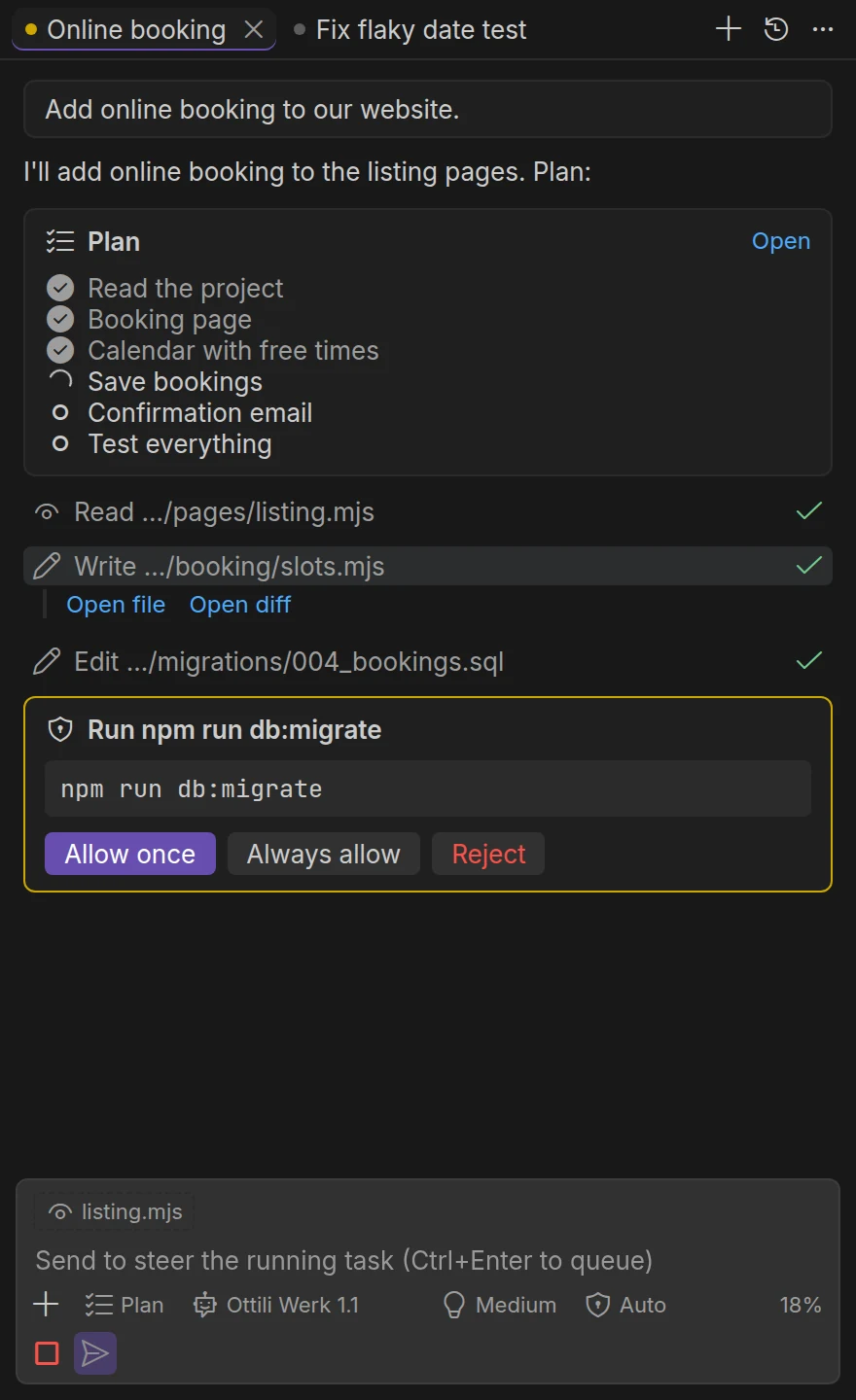
Plans, tool calls and diffs stream in as they happen. Several sessions in tabs.
@ adds files, a shortcut adds your selection, images go in by paste.
Enter steers the running task, Ctrl+Enter queues the next one, Esc stops.
Commands that need you show up as cards, with a preview and an Open diff button.
The Changes view lists what a session touched. Revert one file or all of them.
Sessions, goals, skills, plugins and MCP servers are shared with the terminal.
Search, install and update Plugins and Skills from the editor. A Plugin that runs commands waits for your approval.
Sign in from the editor, see credit and spending, and pick a model with its price in front of you.
When a model needs credit or a limit is hit, a card says so and offers the way forward.
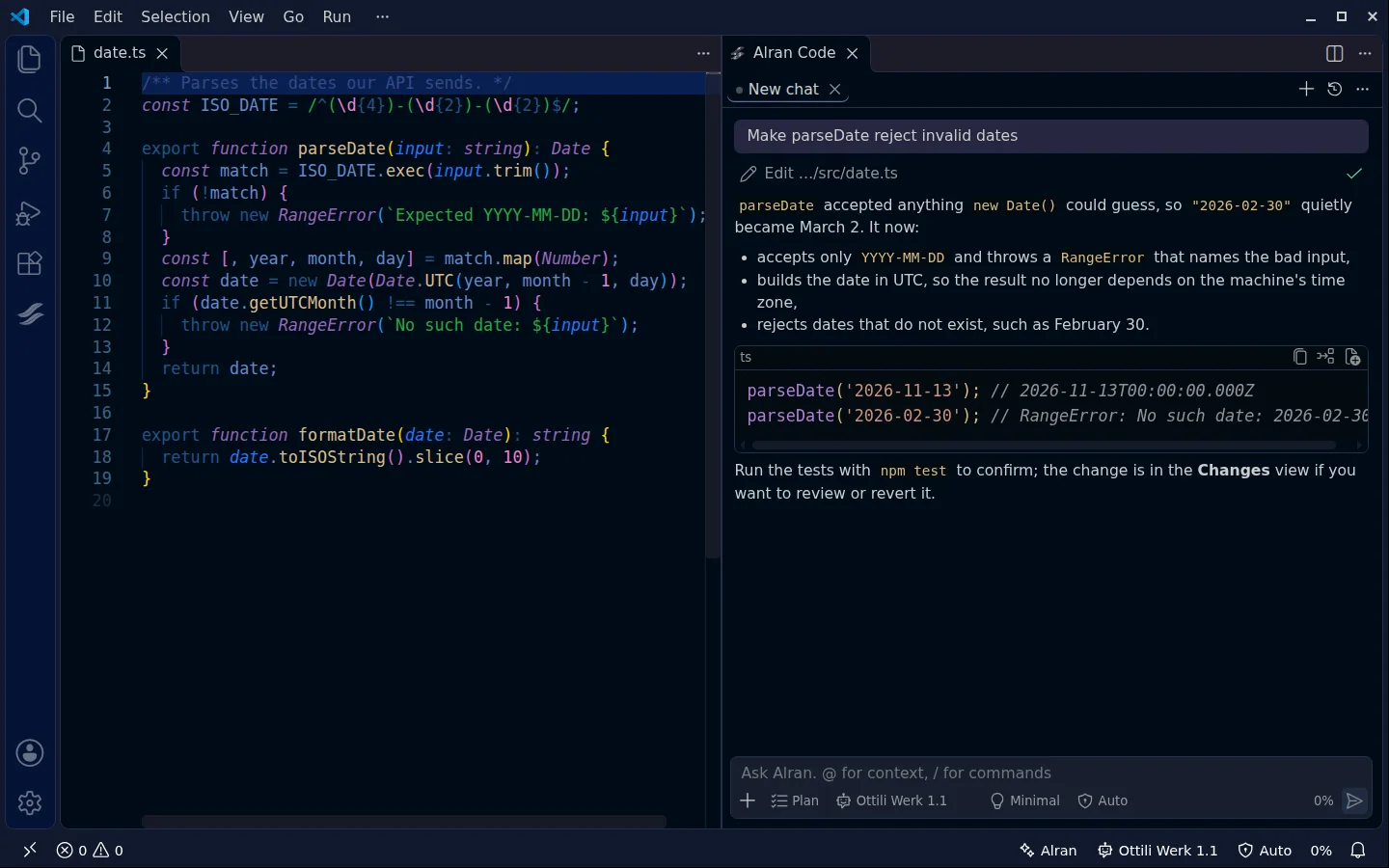
Alran edits the file, explains what it did and points to where you can review it.
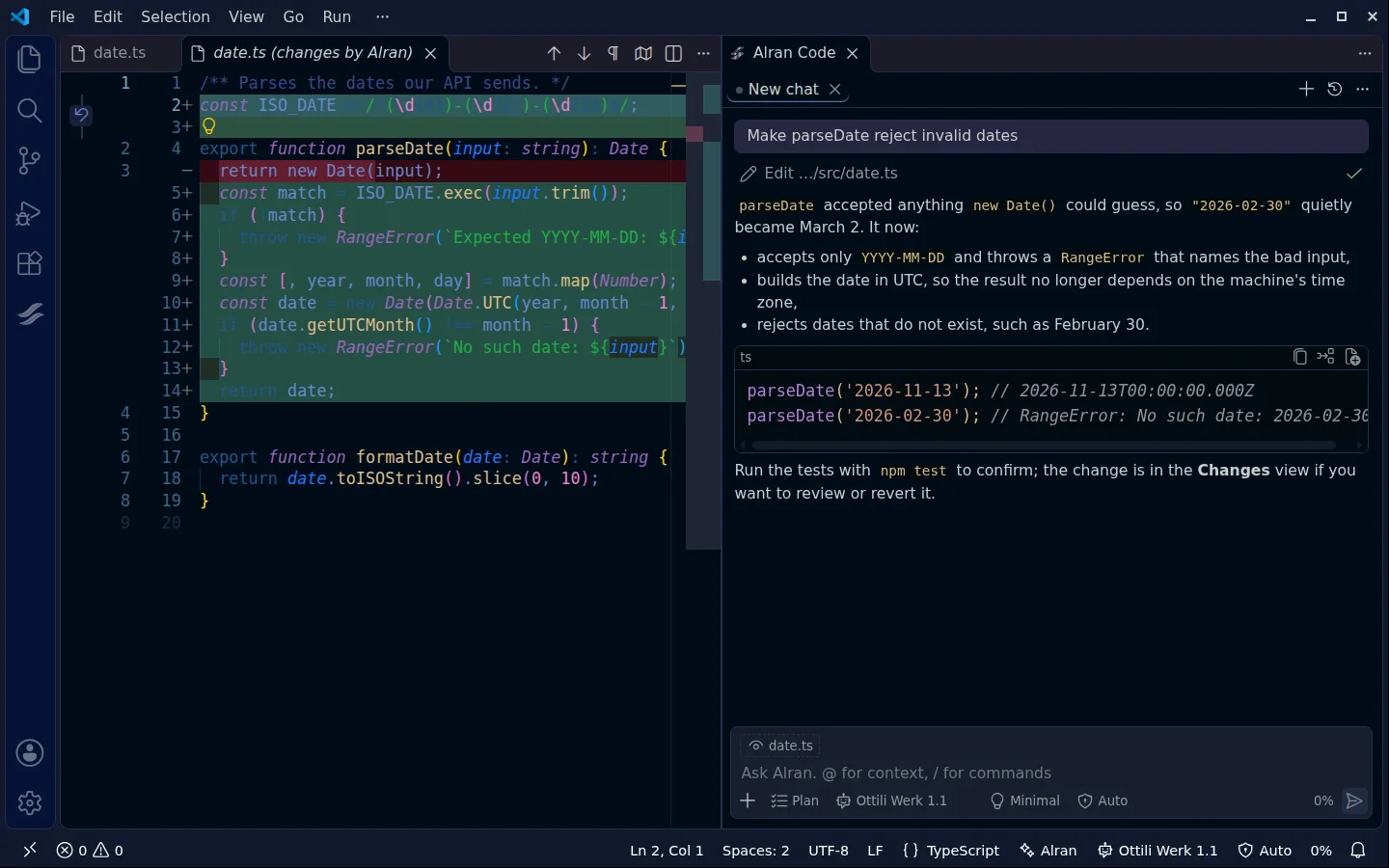
The diff opens next to your code, next to the conversation that made it. Revert one file or all.
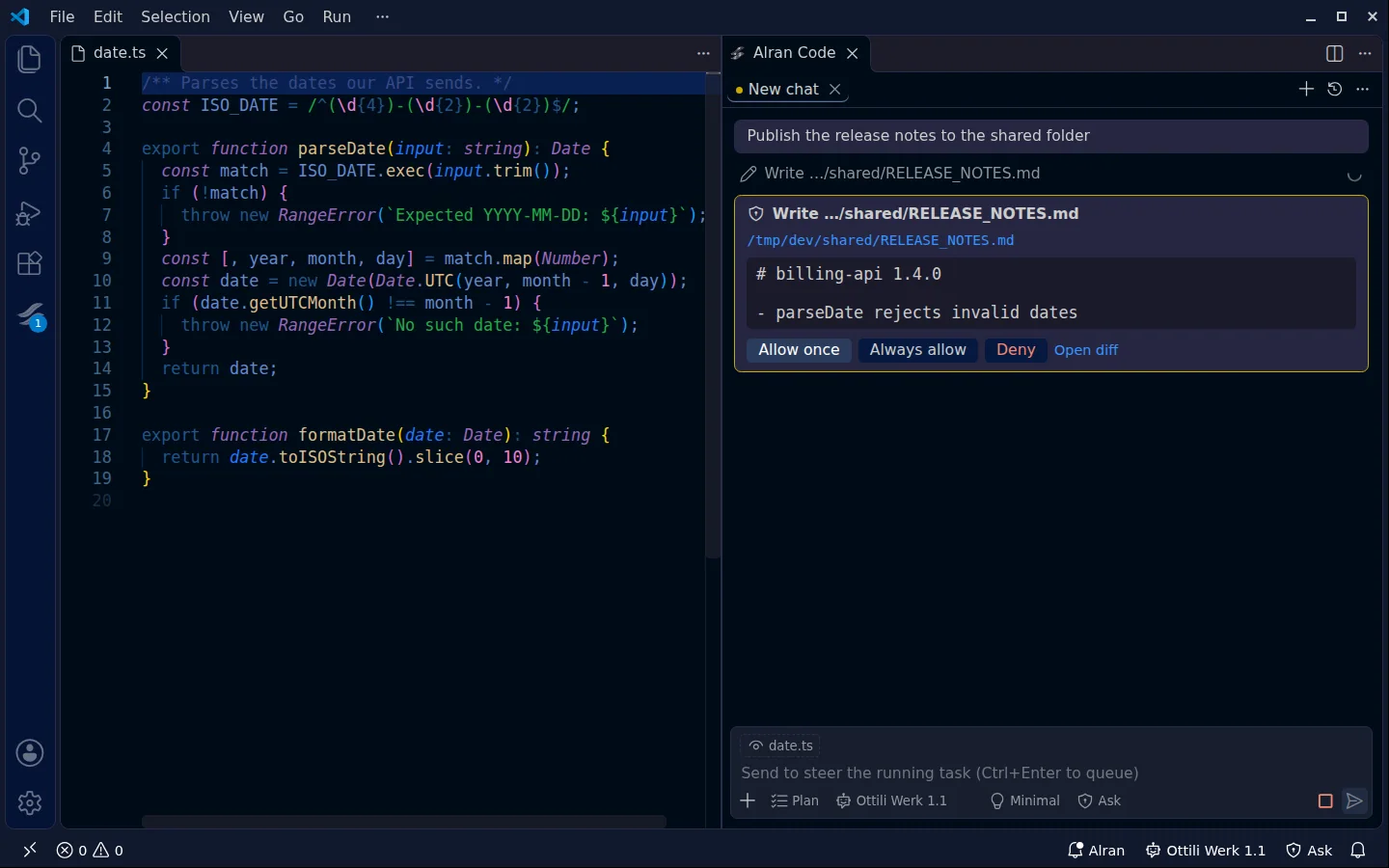
A write outside the project shows up as a card with a preview, and waits.
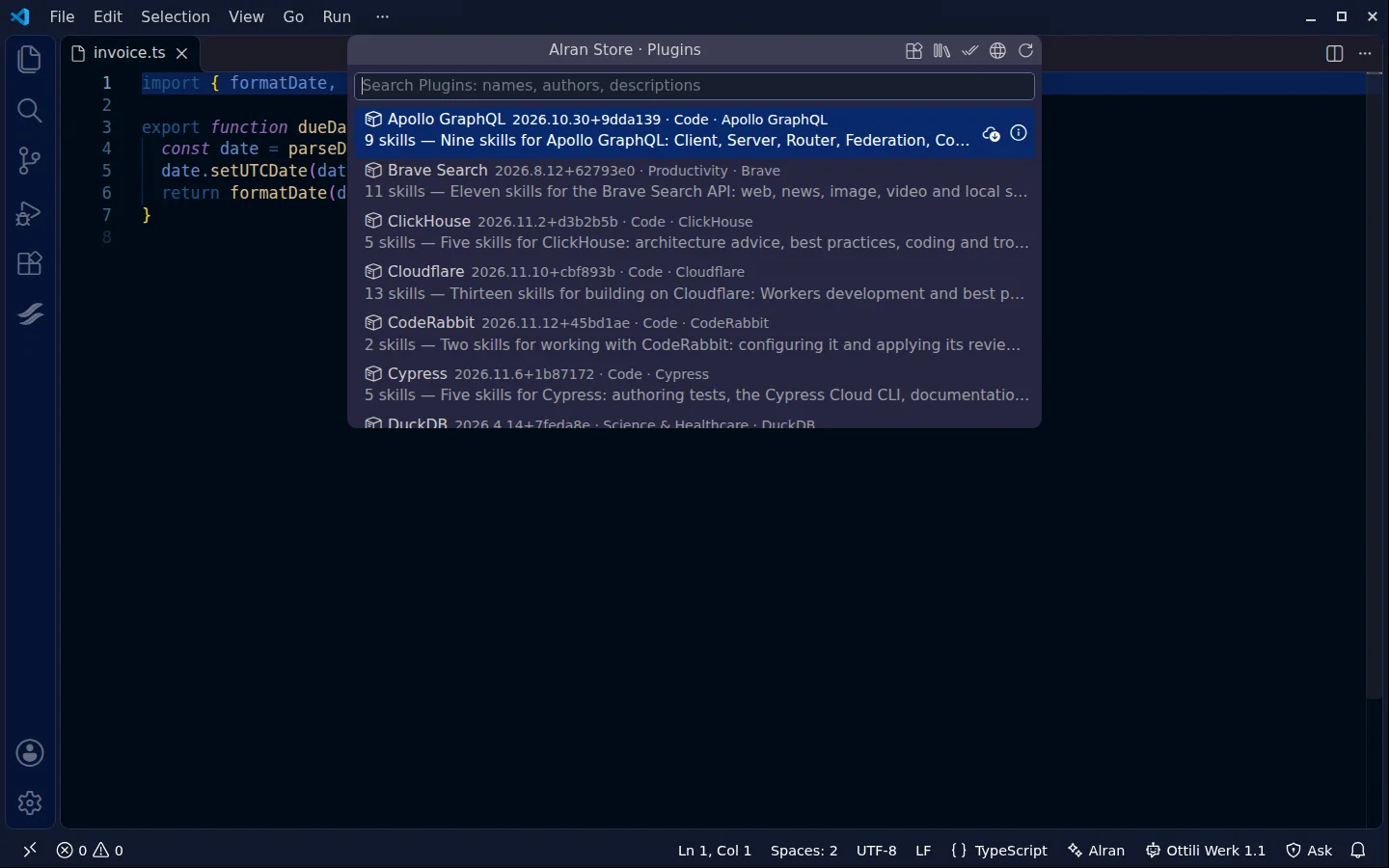
Search, read what is inside, install. Plugins that run commands show every command first.
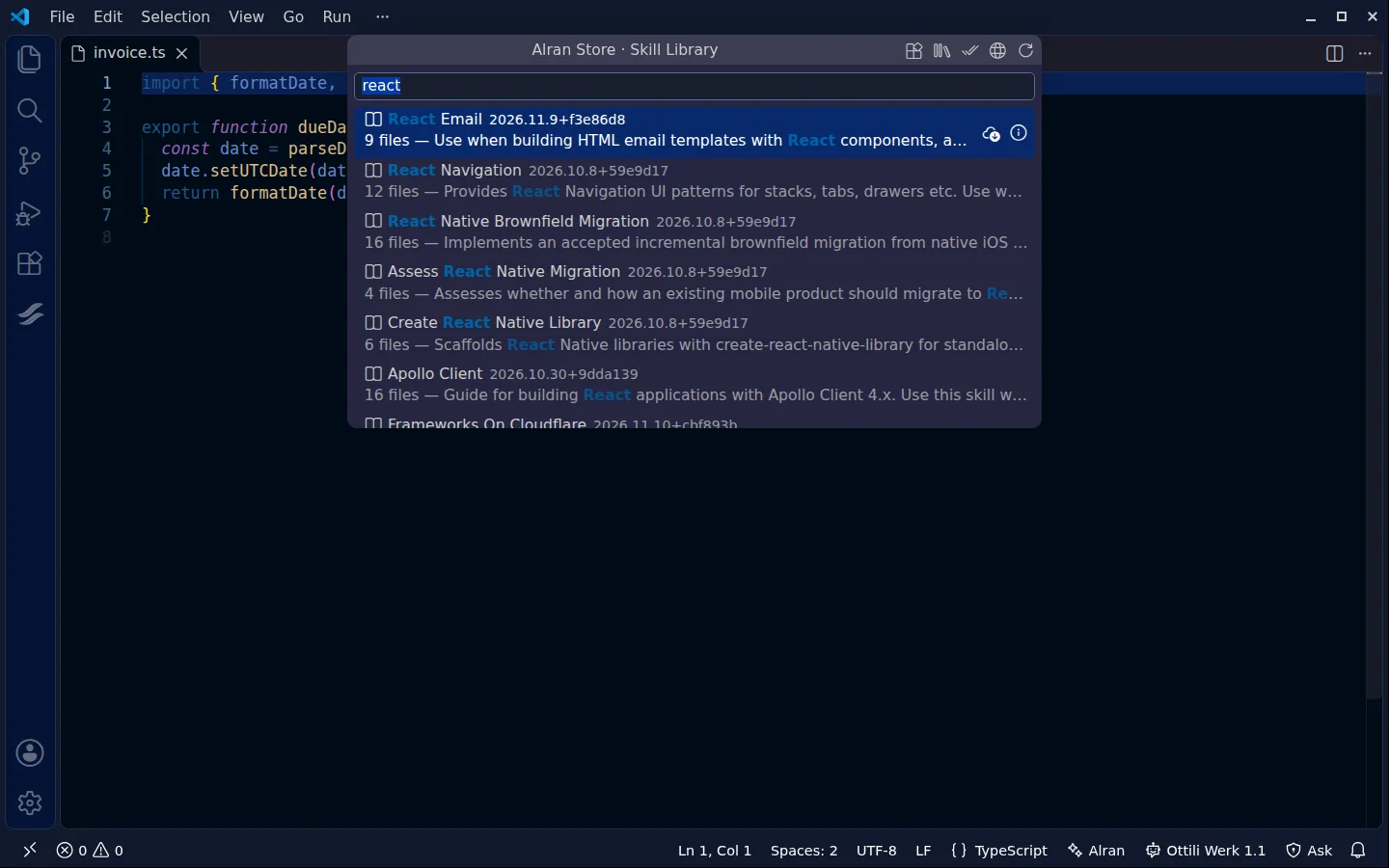
The same catalogue as single Skills, grouped, and searchable by name, group and description.
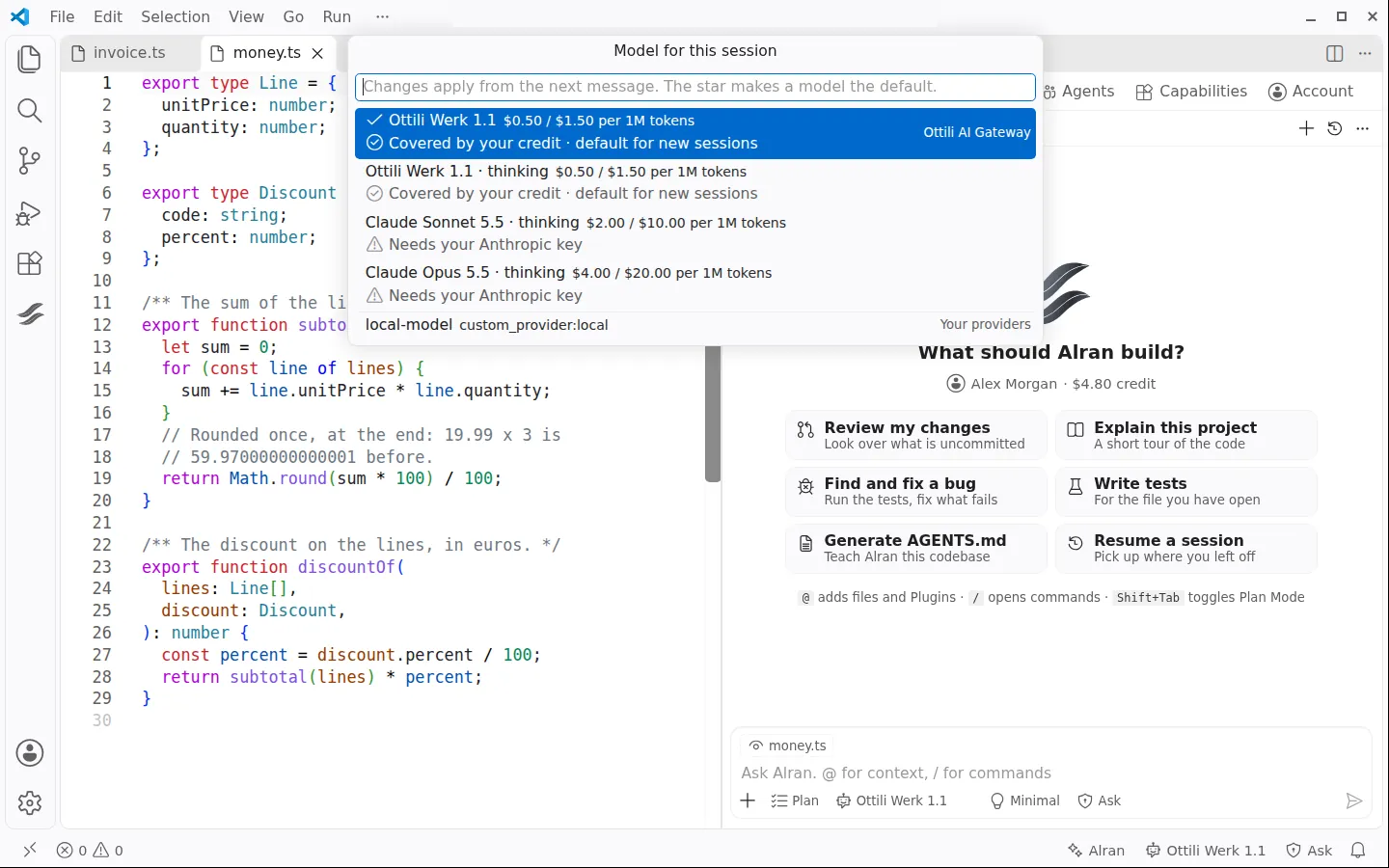
Each model shows what it costs and whether you can use it now. The star sets the default.
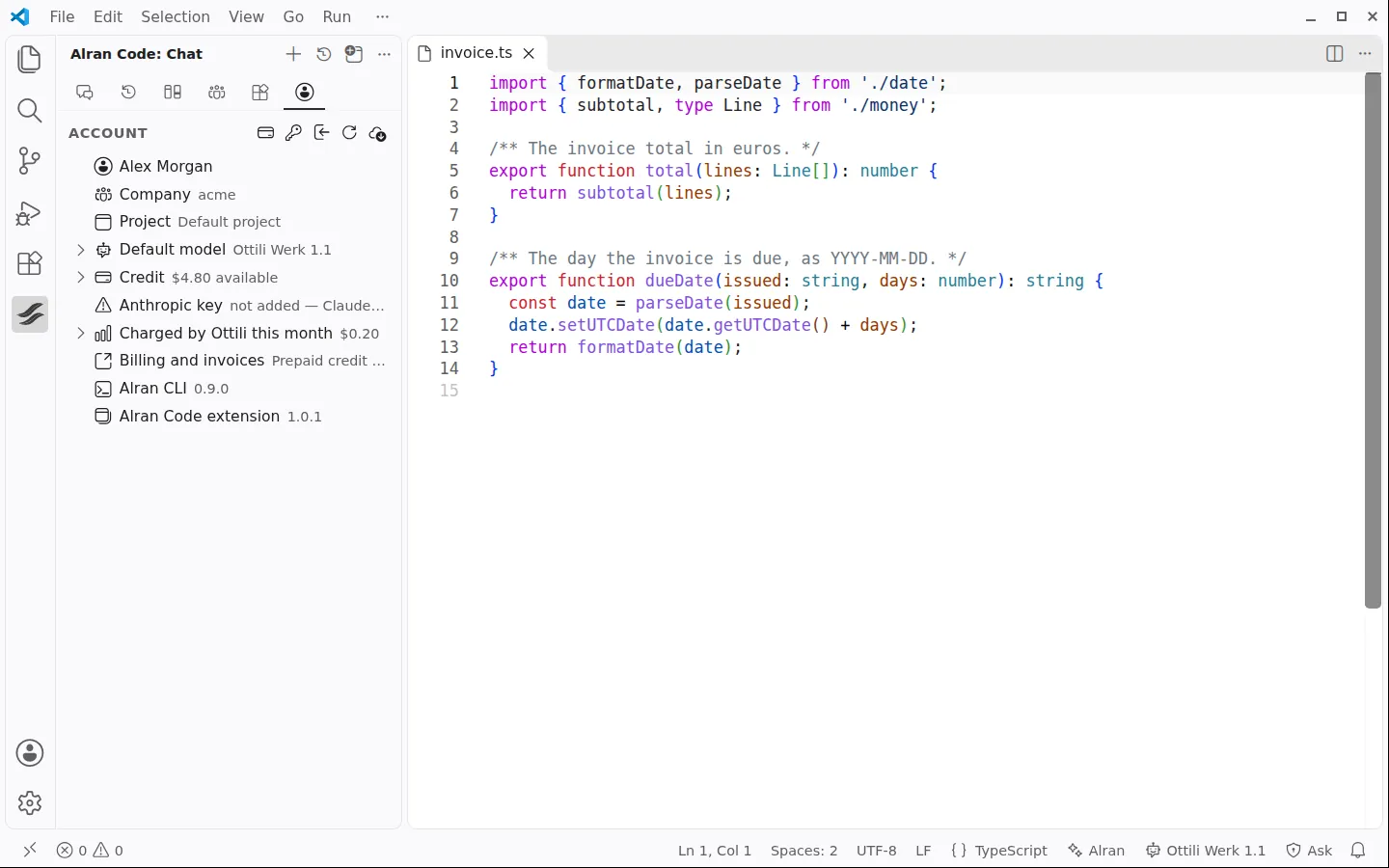
Company, project, default model, credit and this month’s spending, in the sidebar.
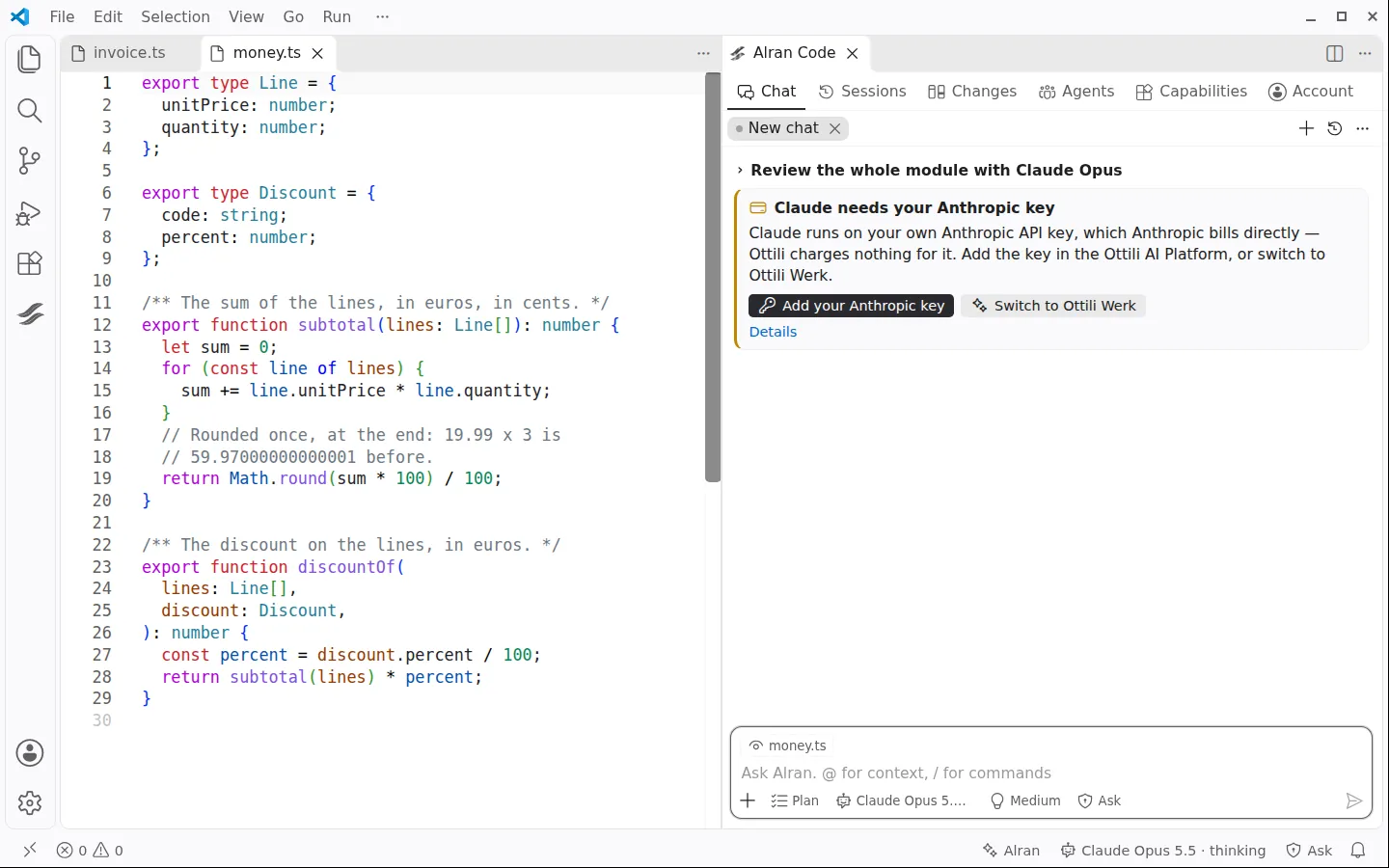
Claude without your Anthropic key becomes a card: add the key, or switch to Ottili Werk.
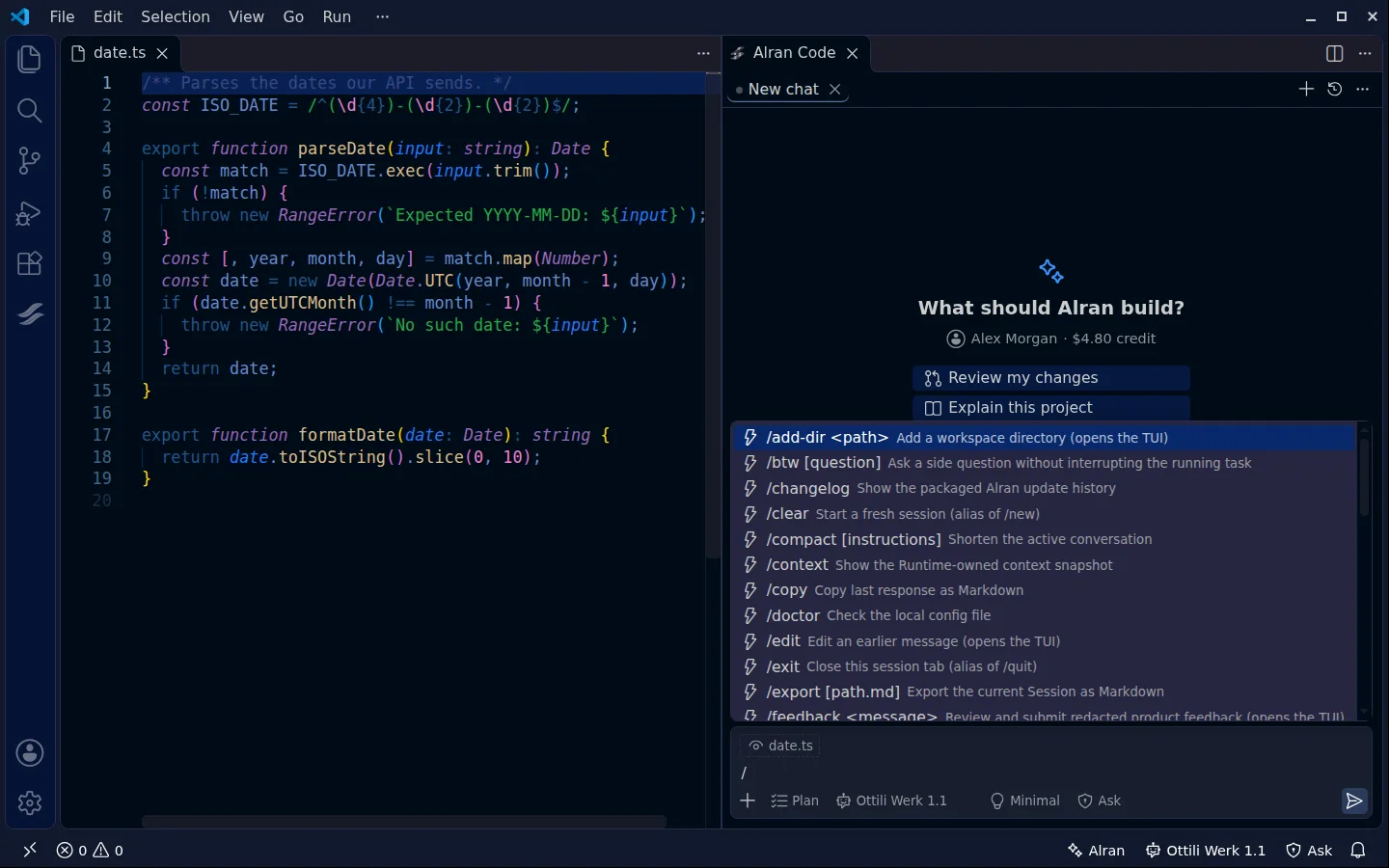
Type a slash to see all commands and your Skills.
Not a terminal person?
Describe the task in a chat next to your code. Alran plans it, edits your files and runs your tests. You review every change as a diff, decide what it may do, and undo it with one click. The terminal is still there when you want it: one click opens the same session in it.
On Windows the shortcuts use Ctrl+Shift+Alt, so AltGr characters such as @ keep working. On macOS, Cmd+Alt.
The extension runs the agent you have installed. It needs Alran Code 0.9.0 or newer.
curl -fsSL https://alran.dev/install.sh | bash Search for “Alran Code” in the Extensions view: VS Code Marketplace, or Open VSX for Cursor, Windsurf and VSCodium. VS Code 1.90 or newer.
Sign in with your Ottili account, open the Alran panel and describe a task.
alran auth login